
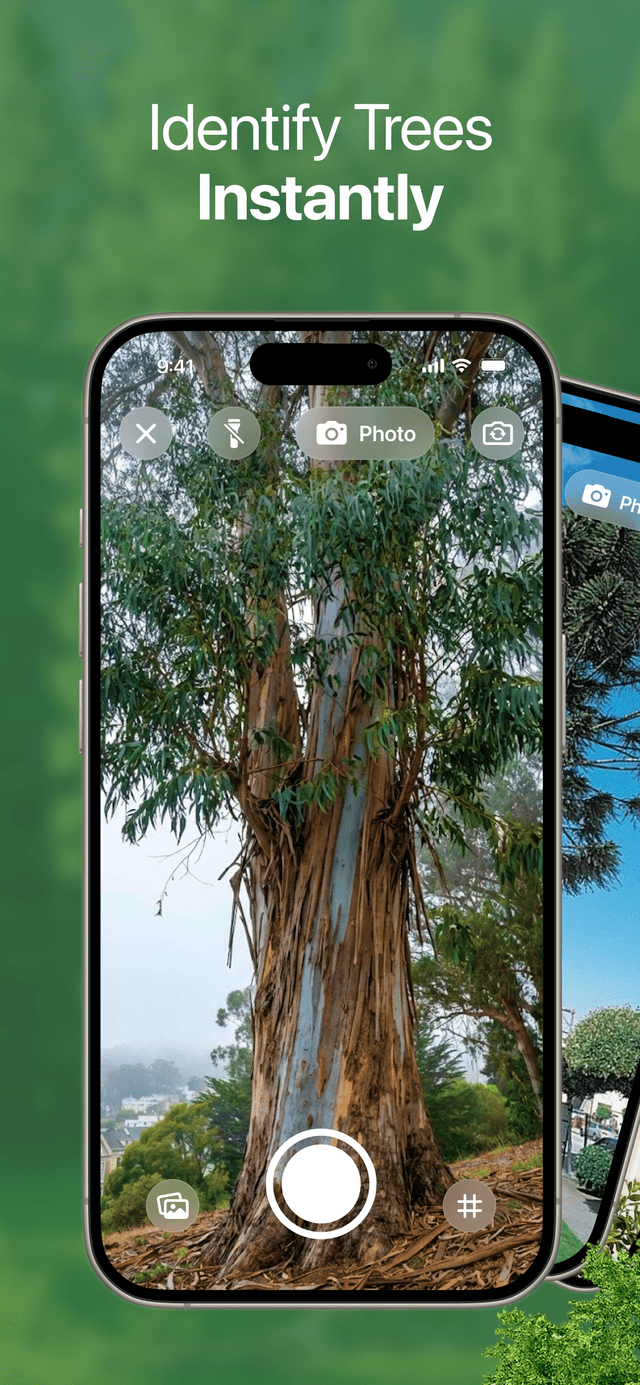
Made for Real Outdoor Walks
#1 Tree Identifier App
Use TreeBarkId as your tree identifier, bark identifier, and plant identifier when you are outside and need a clear answer fast. Spot likely species, review bark patterns with confidence guidance, and use batch scan to compare multiple trees in one outing.
New: Batch Scan for Faster Multi-Tree Identification
- ✓Identify trees from bark photos in seconds
- ✓Compare several trunks in one batch scan session
- ✓Read species details in simple, useful language


ALJMRKDT
Trusted by walkers, gardeners, families, and nature lovers who want faster answers outdoors.
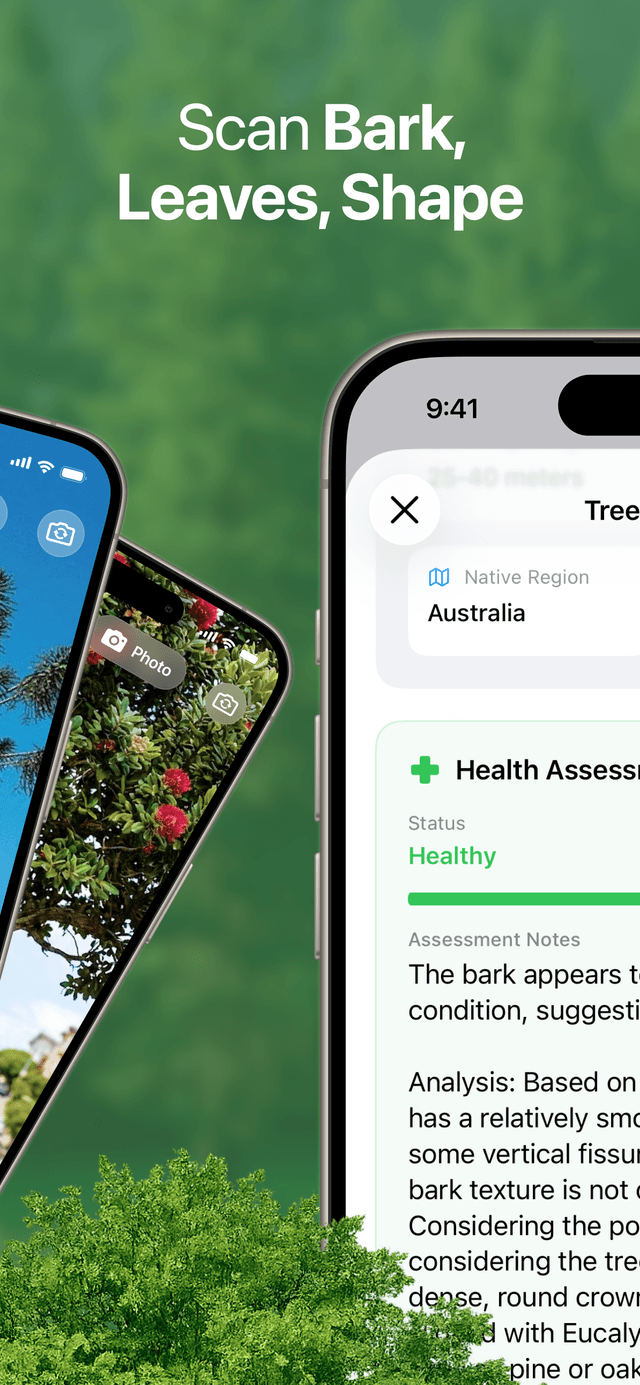
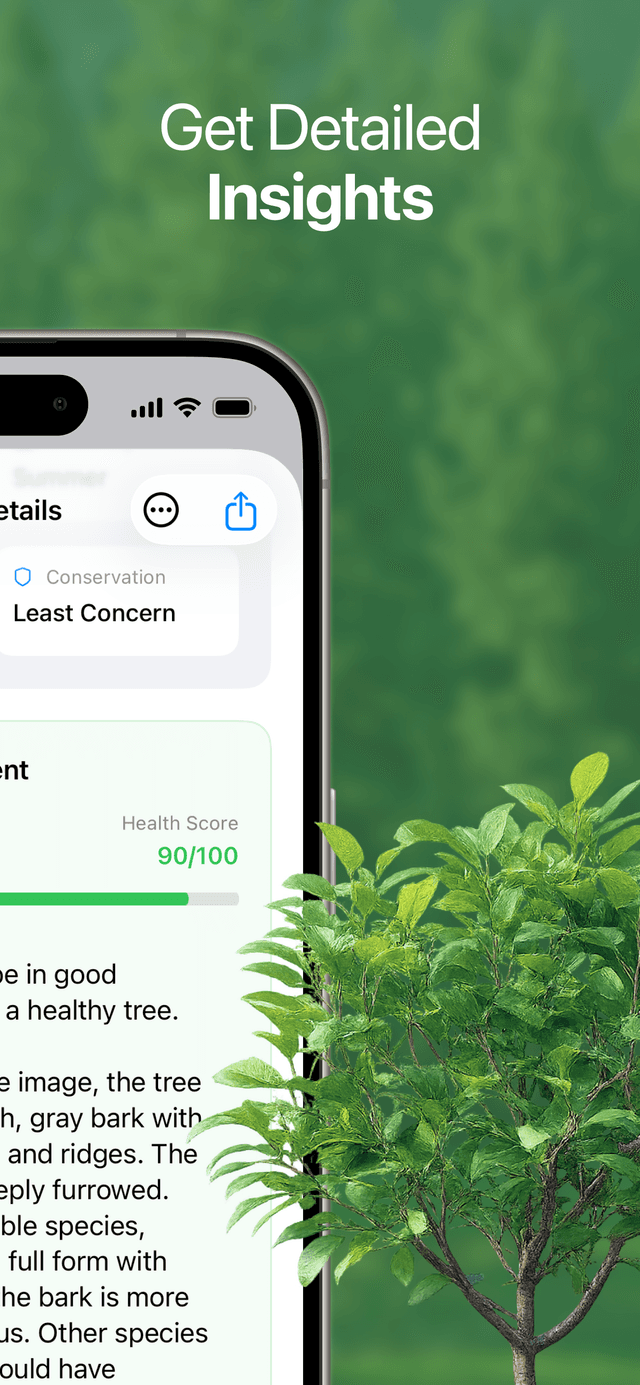
Faster answers on the spot
Check bark, nearby plants, and likely species before you leave the trail.
Clearer bark identification
See why one tree is more likely than another with confidence guidance that feels practical.
Built for repeated walks
Batch scan and saved screens make it easier to compare trees across a park, street, or garden route.
What People Use It For
Useful from the first tree you stop at
Neighborhood tree walksGarden and yard identificationPark visits with kidsQuick bark checks in winterBatch scan on trail days
Why TreeBarkId Feels Better in the Field
The app is designed to help regular people decide what they are looking at without turning a simple walk into a research project.
Fast bark identification
Use bark texture, color, spacing, and trunk patterns to narrow down likely species quickly.
Tree details that are easy to read
Get names, context, and health clues in plain language instead of technical overload.
Helpful plant context
Nearby species, habitat clues, and plant context help make each identification more believable.
Batch scan for busy walks
Capture several trunks in one pass and compare results without restarting every time.
Built for Real Use
More than a single screenshot result
TreeBarkId is designed for real-world identification moments: when the bark is rough, the light is mixed, or you want to compare several trees before deciding what makes the most sense.
- •Works well for bark-first tree identification during leaf-off seasons
- •Makes plant and habitat context easier to understand at a glance
- •Helps you move from quick curiosity to a more confident answer
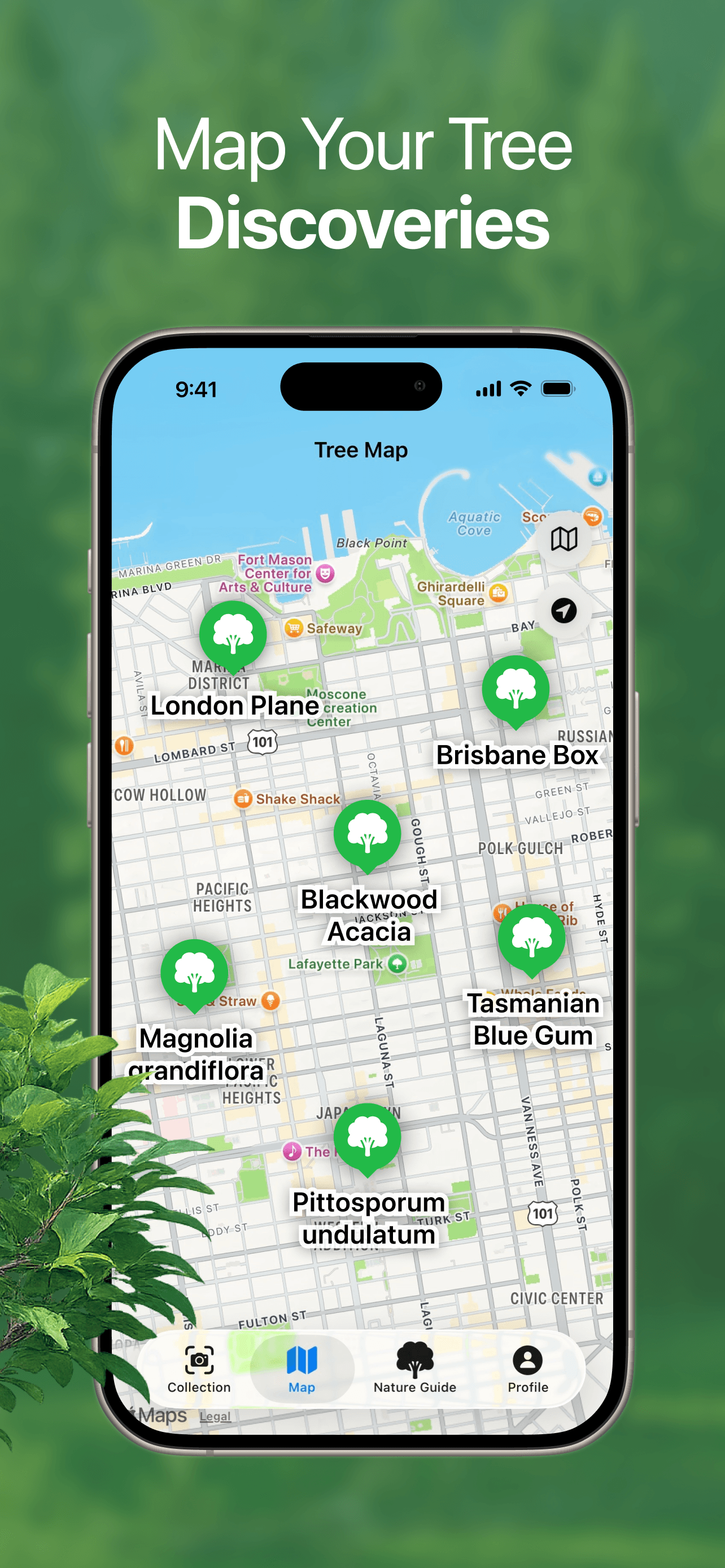
On the trail
Use batch scan when a whole stretch of path has similar trunks and you want to compare them side by side.
In the neighborhood
Figure out what is lining a street, planted in a courtyard, or growing around your block without breaking the flow of your walk.
At home
Check yard trees, ornamentals, and nearby plants when you want a simple answer before pruning, planting, or learning more.
How It Works
A calm, simple flow from photo to answer
STEP 1
Take a bark photo
Capture a clean close view of the trunk texture.
STEP 2
Review likely matches
See the strongest bark and species matches in seconds.
STEP 3
Check details and confidence
Read plain-language clues before you decide what fits best.
STEP 4
Scan more trees in one pass
Use batch scan to compare multiple trunks during the same walk.
See Inside the App
A cleaner way to identify trees, compare bark, and keep moving.
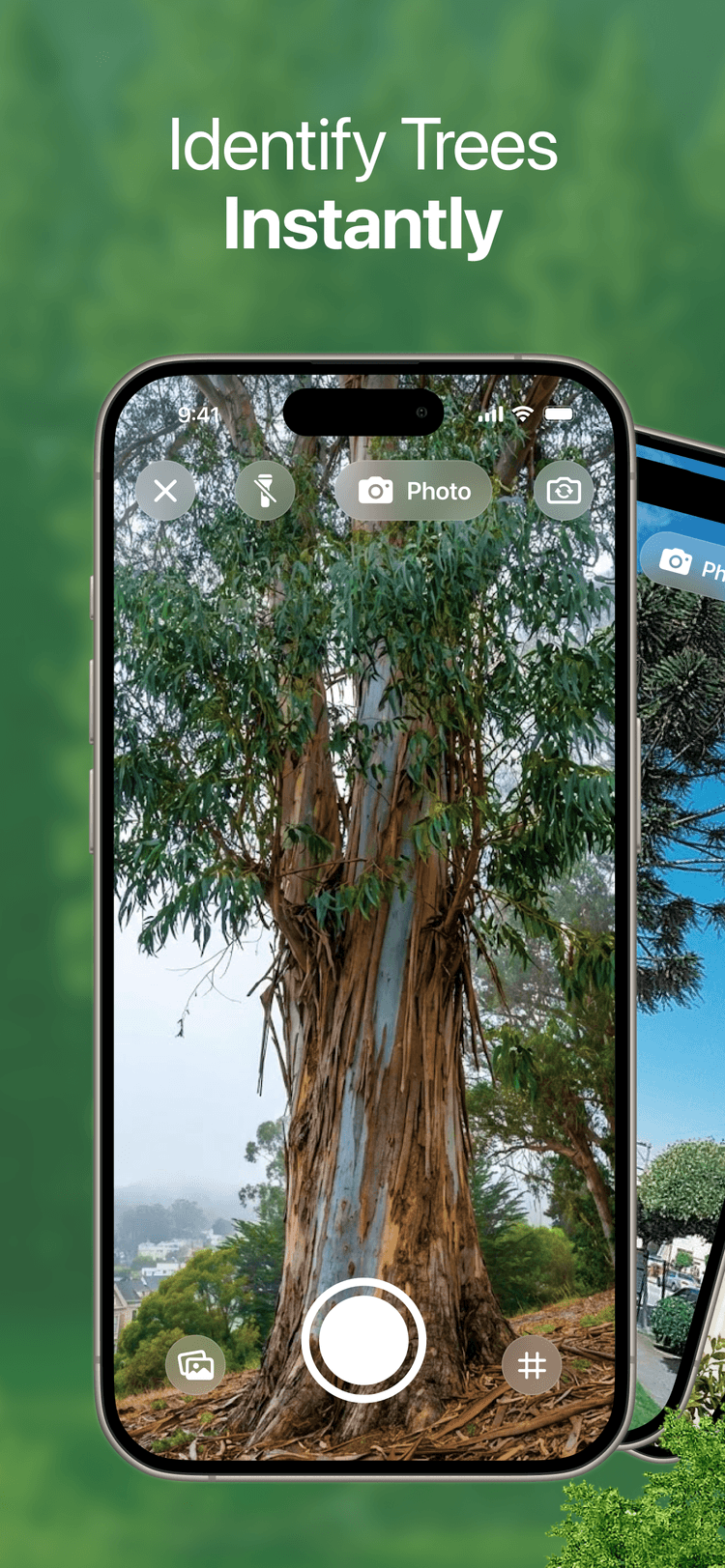
IDENTIFY
Compare likely species quickly
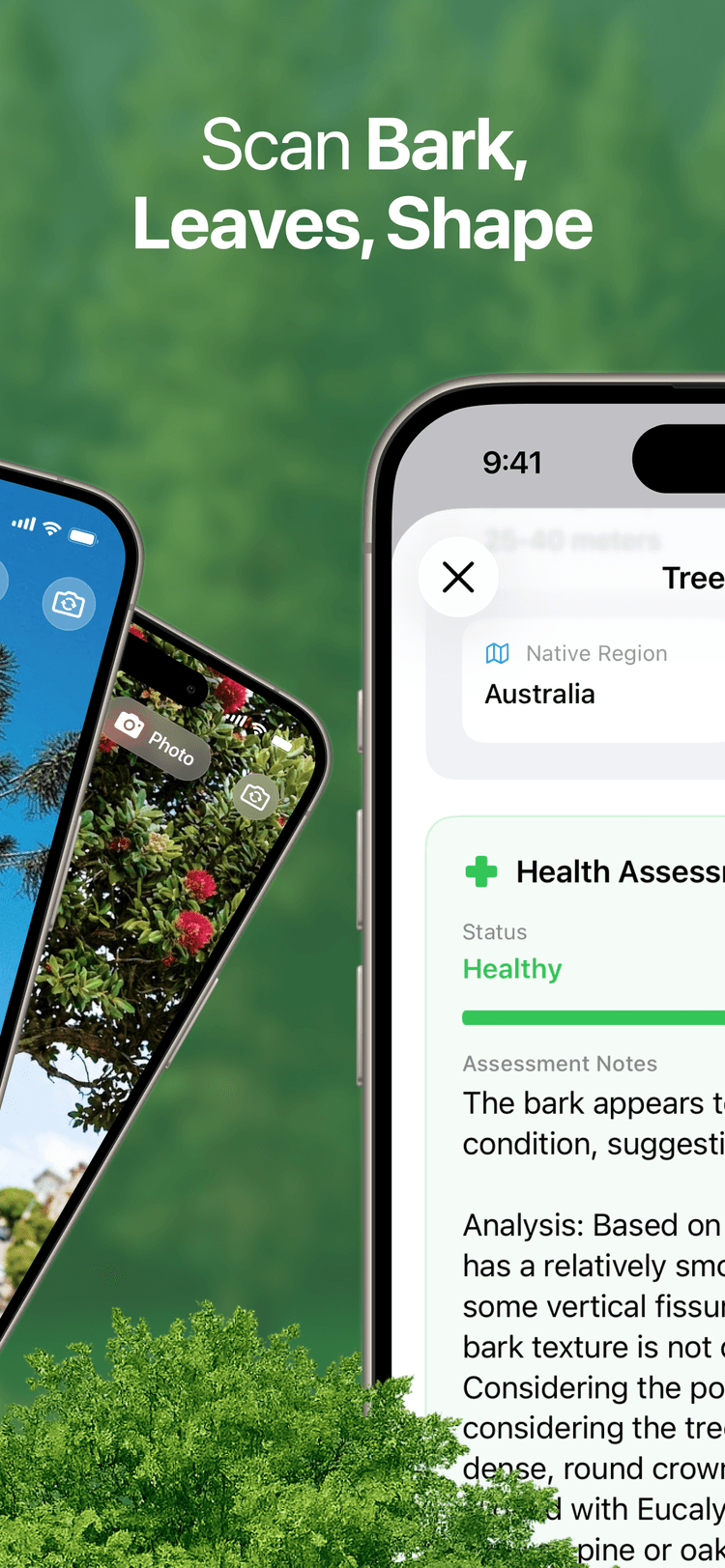
DETAILS
Read the tree in plain language
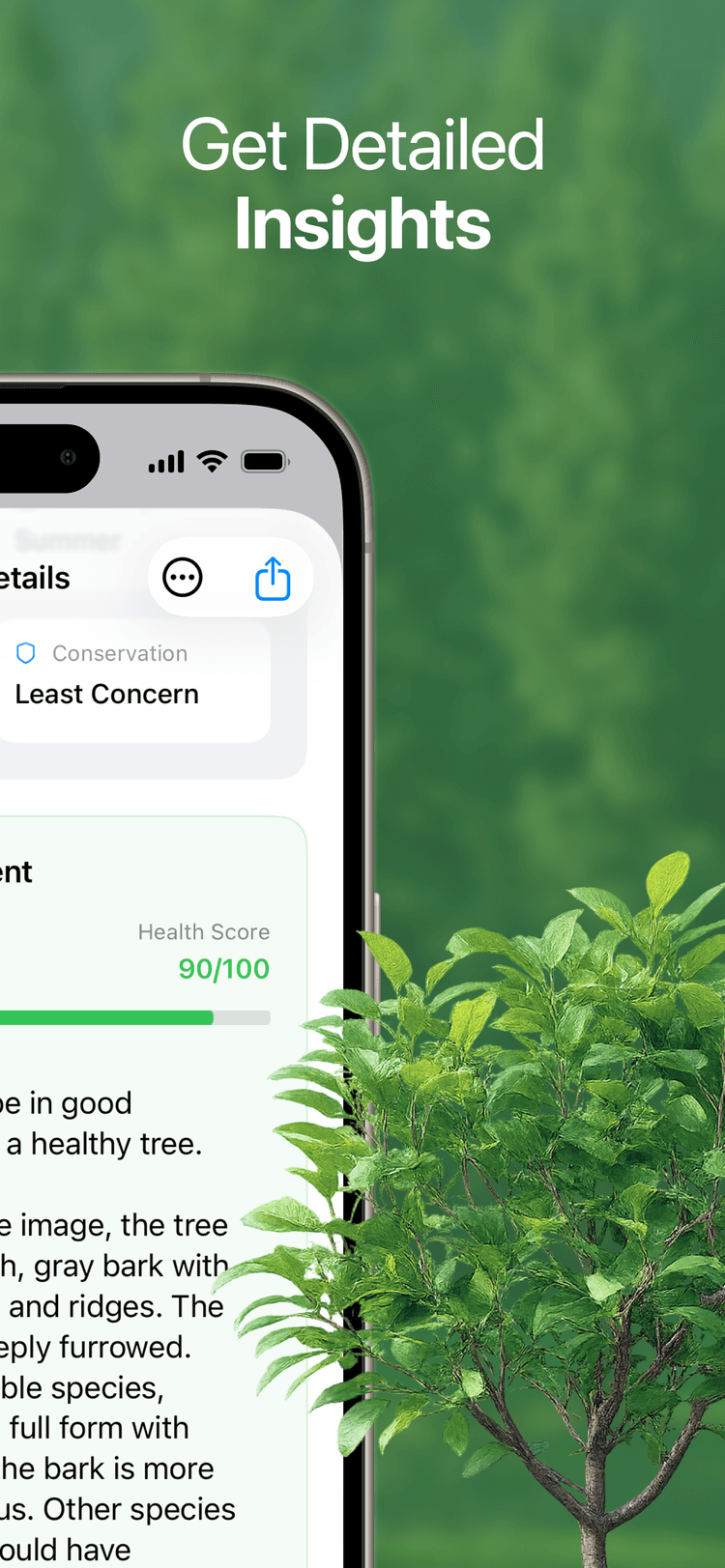
BATCH
Scan several trees in one outing
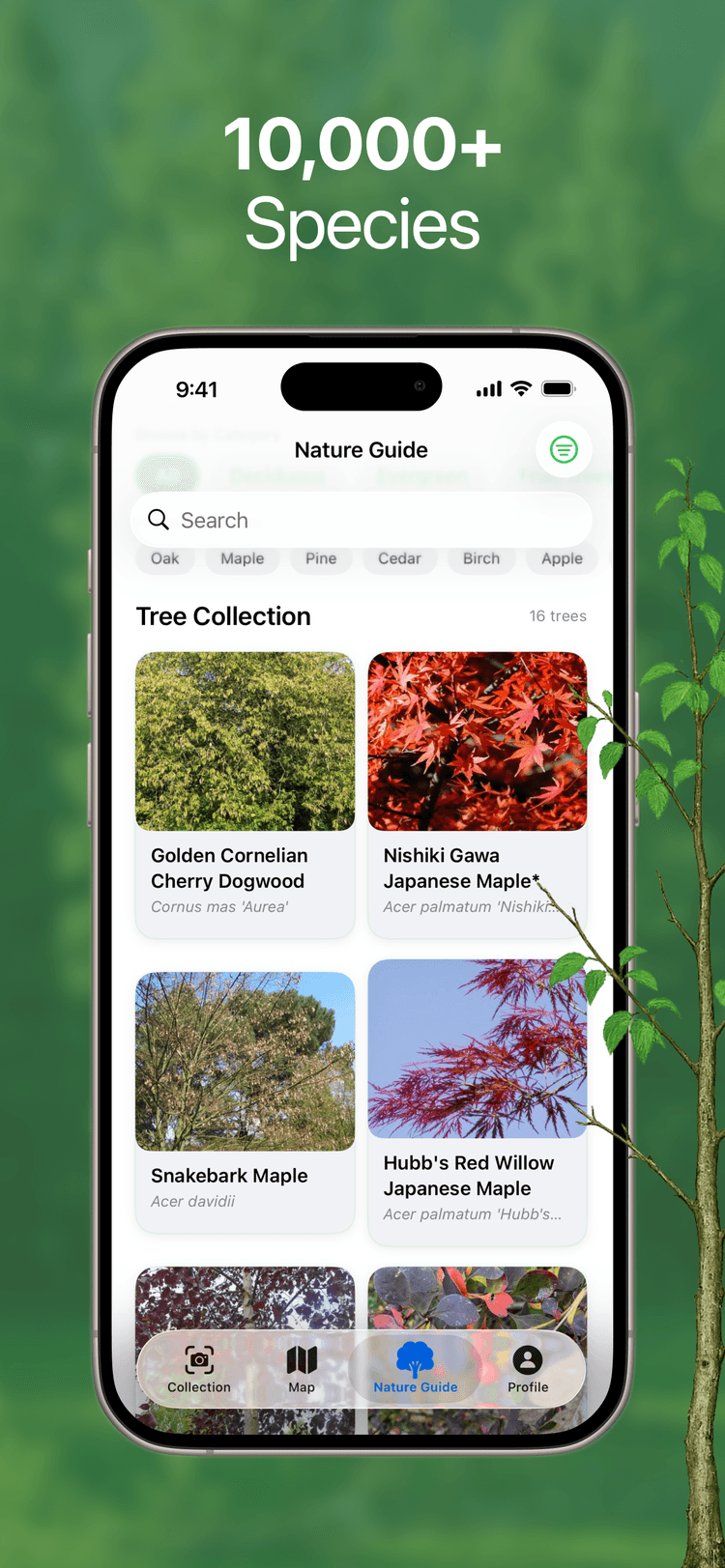
GUIDE
Explore species beyond the first answer
What You Can Explore
Keep going after the first identification
TreeBarkId is not only about naming one tree. It helps you keep learning, compare nearby species, and build a better sense of the landscape around you.
Tree identifier for fast stops
When you want a quick answer, the app gives you a strong starting point without slowing you down.
Bark identifier for tougher seasons
When leaves are gone or distance is limited, bark clues stay useful and easier to compare.
Plant identifier context for better judgment
Seeing nearby plants and habitat cues makes each tree result feel more grounded and more believable.
Field Notes and Tips
Read practical tree and bark guides
The TreeBarkId blog is written for regular walks and real curiosity. Learn bark clues, tree habits, plant context, and better ways to use batch scan outside.
Frequently Asked Questions
Does TreeBarkId work without internet?
Tree and bark identification works best with a connection so the app can process the photo and return the clearest species guidance.
Is TreeBarkId only for experts?
No. It is designed for beginners, families, gardeners, and anyone who wants a more useful tree identifier during a normal walk.
What makes bark identification easier in this app?
The app emphasizes bark texture, spacing, and visual patterns, then presents likely matches with context that is easier to compare outdoors.
What is batch scan?
Batch scan lets you capture several trunks in one session so you can compare multiple tree identification results without repeating the full flow each time.
Can I use it as a plant identifier too?
Yes. TreeBarkId focuses on tree identification first, but it also uses plant and habitat context to support better decisions.
Does it help with winter tree identification?
Yes. The bark-first workflow is especially helpful when leaves are missing and bark becomes the clearest visual clue available.
How should I take photos for better results?
Use good light when possible, keep the trunk centered, and take a clean bark shot. Adding one wider context photo can help when several species look similar.
Can I compare several similar trees in the same area?
Yes. That is one of the main reasons to use batch scan. It is useful on streets, trails, parks, and gardens with repeating species.
Is TreeBarkId available on iPhone and Android?
Yes. The app is available on both platforms with the same core tree identifier, bark identifier, and batch scan experience.
Can I keep learning after I identify one tree?
Yes. You can keep exploring species details, compare nearby options, and use the blog to improve your tree and bark identification over time.
Take TreeBarkId on your next walk
Download the app, check the trees around you, and turn everyday curiosity into clearer answers with bark-first identification and batch scan.